Army Hiring Manager Dashboard
A centralized dashboard to help hiring managers find candidates, stay organized, and manage the hiring process more efficiently.
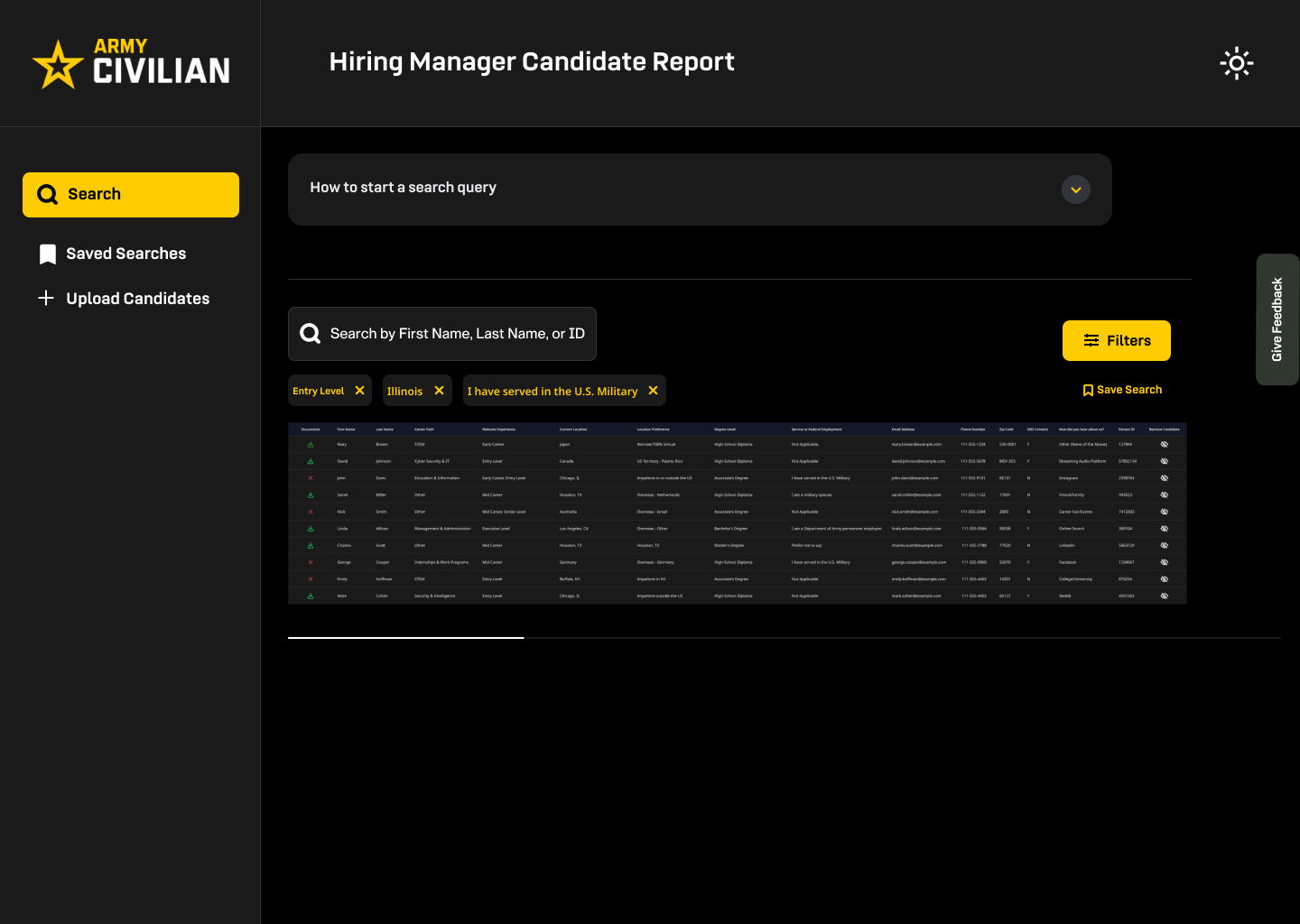
- Overview
Hiring managers for the U.S. Army needed a better way to find qualified candidates, track recruiting activities, and manage information that was scattered across different tools.
THE CHALLENGE
I led the UX design of a centralized dashboard that brought these tasks together in one place. My focus was on understanding how hiring managers actually worked, identifying where they were losing time, and designing an experience that made their day-to-day responsibilities easier.
My work included mapping out key workflows, organizing information, creating wireframes, and working with stakeholders to refine the experience around hiring managers' needs.
MY ROLE
Understanding the research process

Before opening Figma, I wanted to understand the complete hiring experience, not just the hiring manager's portion of it.
I mapped the Army Civilian recruiting journey (shown on the left) from the moment someone expressed interest through the hiring process. This helped me understand how candidates moved through each stage, where information was passed between teams, and what hiring managers needed along the way.
The journey revealed where tasks were taking too much time, information was getting lost, and the process could be improved. I used these findings to shape the dashboard's navigation, organize key features, and make everyday hiring tasks easier to manage.
Making it easier to find the right candidates
Hiring managers needed a way to quickly narrow down candidate lists without sorting through unnecessary information.
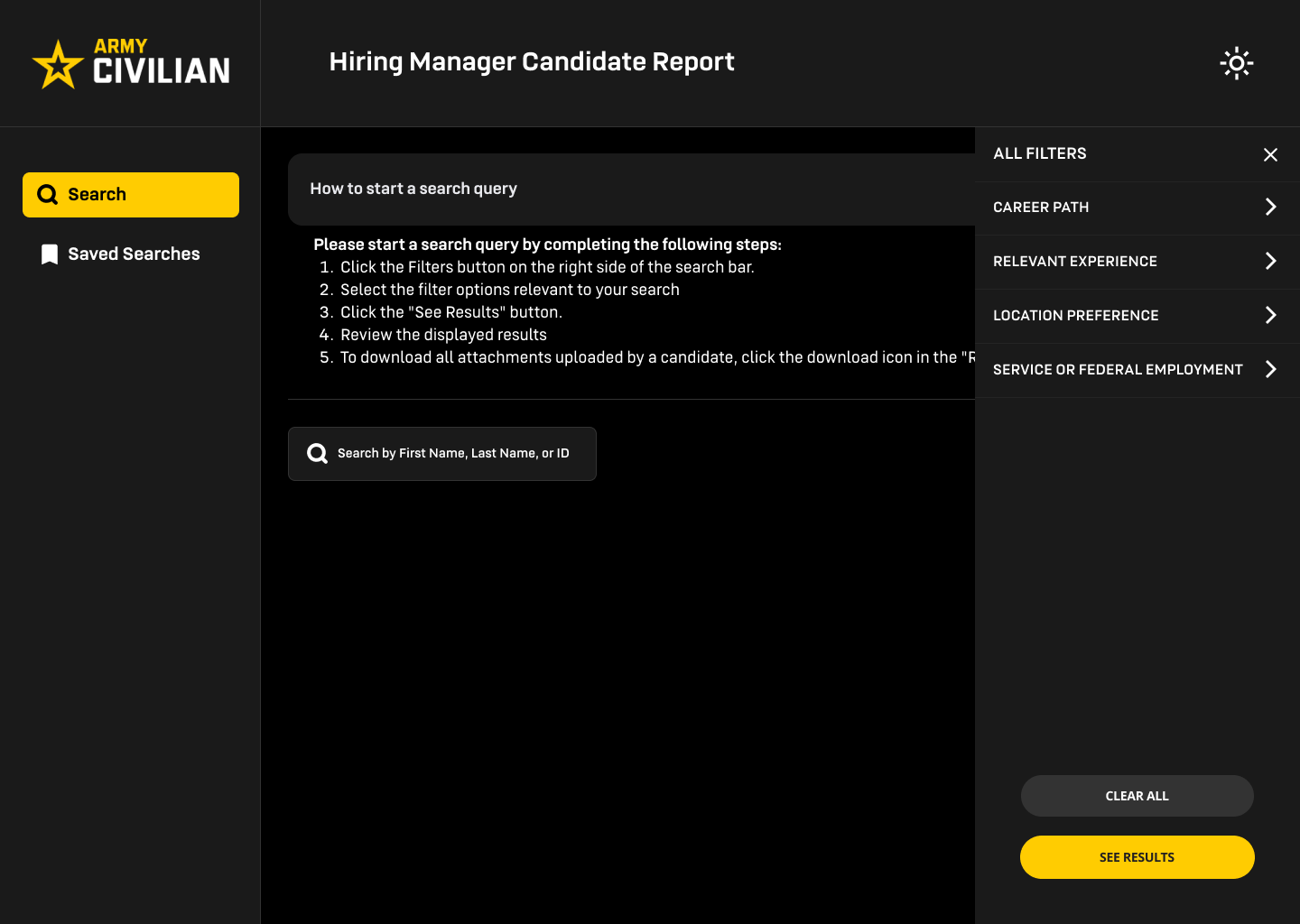
I designed a centralized candidate database that brings information from multiple systems into one shared workspace. The main feature of this tool is candidate search experience with filters that help hiring managers quickly find qualified applicants based on their specific hiring needs.
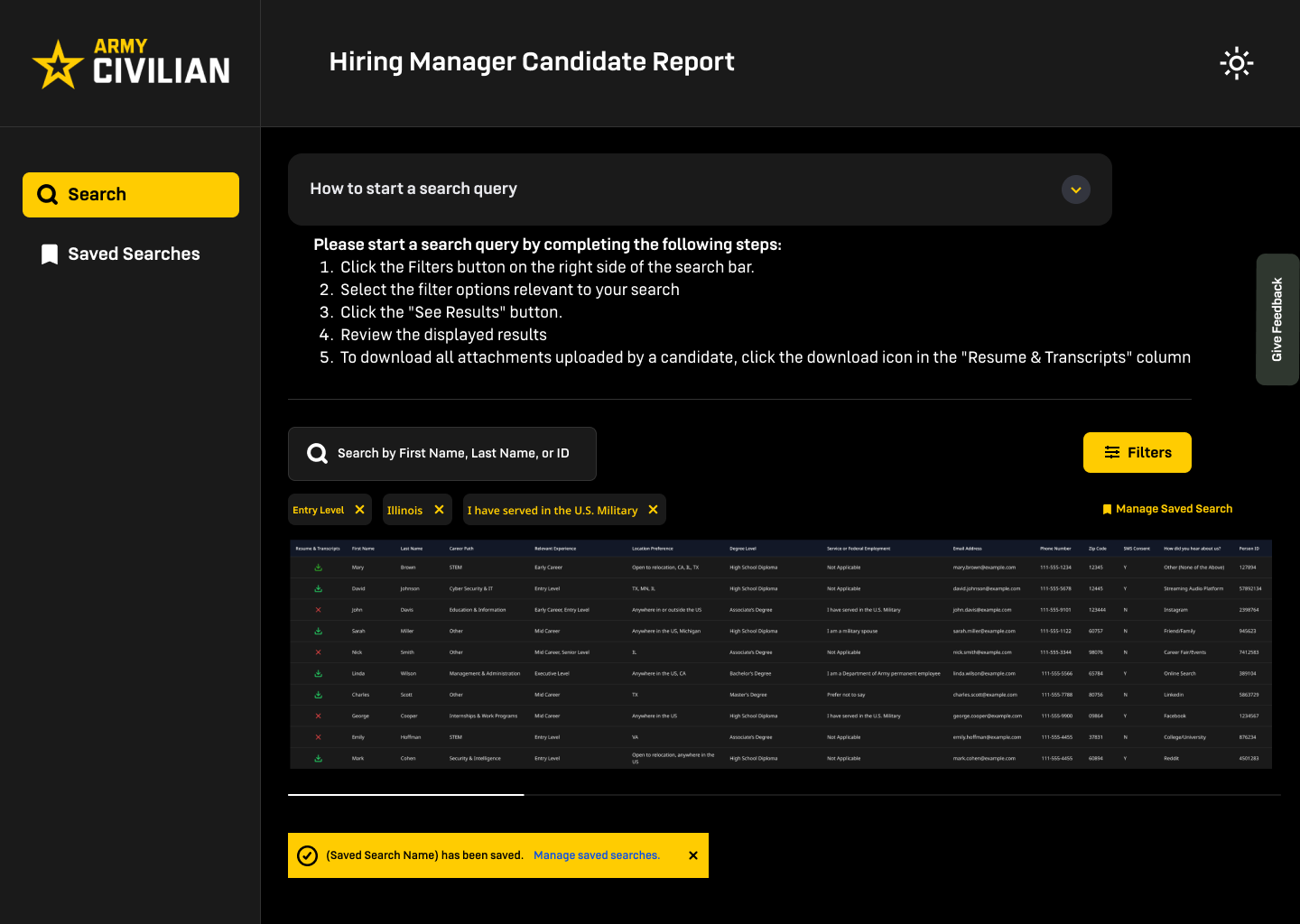
I included the ability to save searches, making it easier to return to frequently used criteria without starting over.
Viewing candidate information
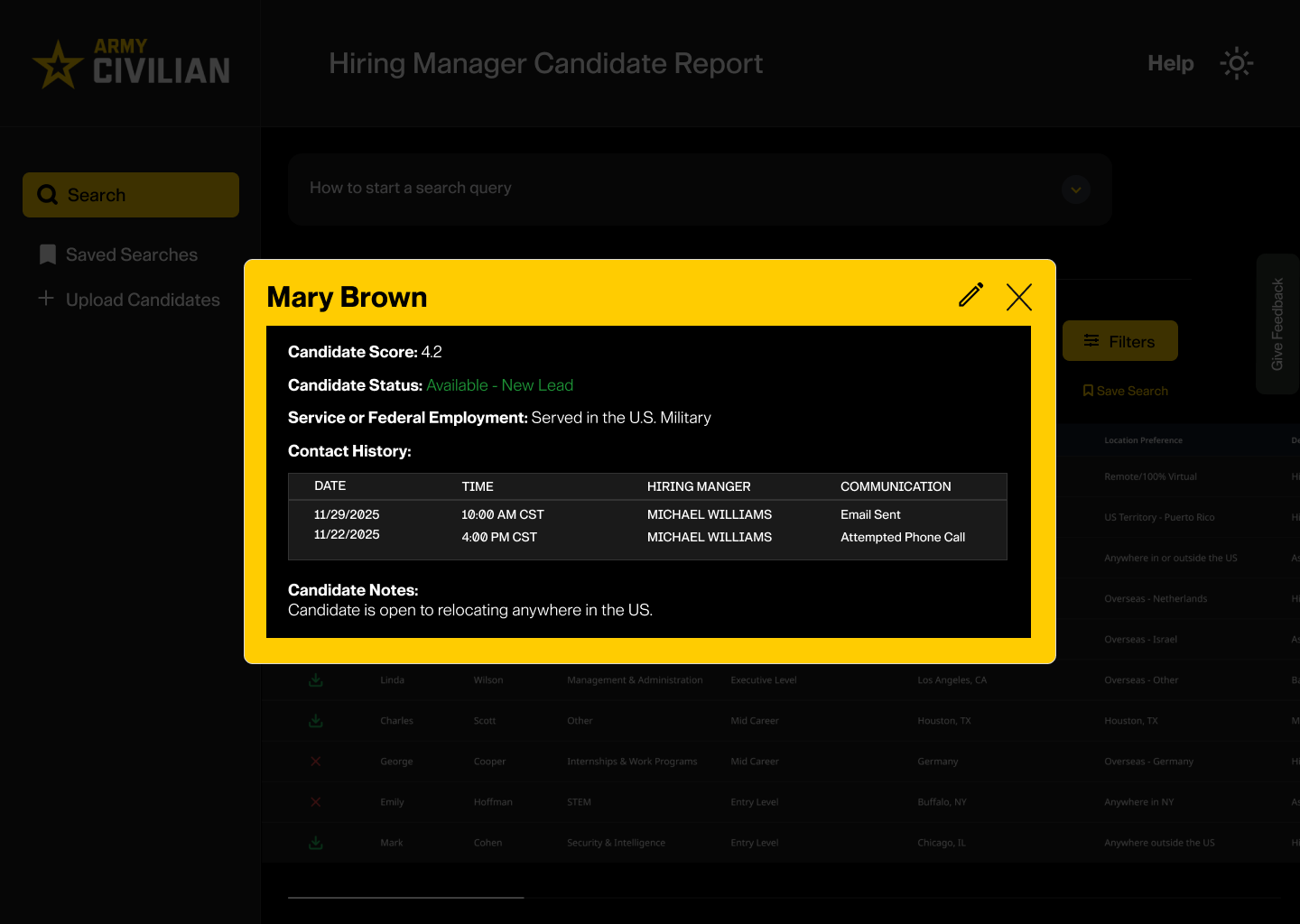
Once interested in a candidate, hiring managers needed to be able to view key information about the candidate to determine if they should reach out to them.
A popup modal displays candidate information for quick review.
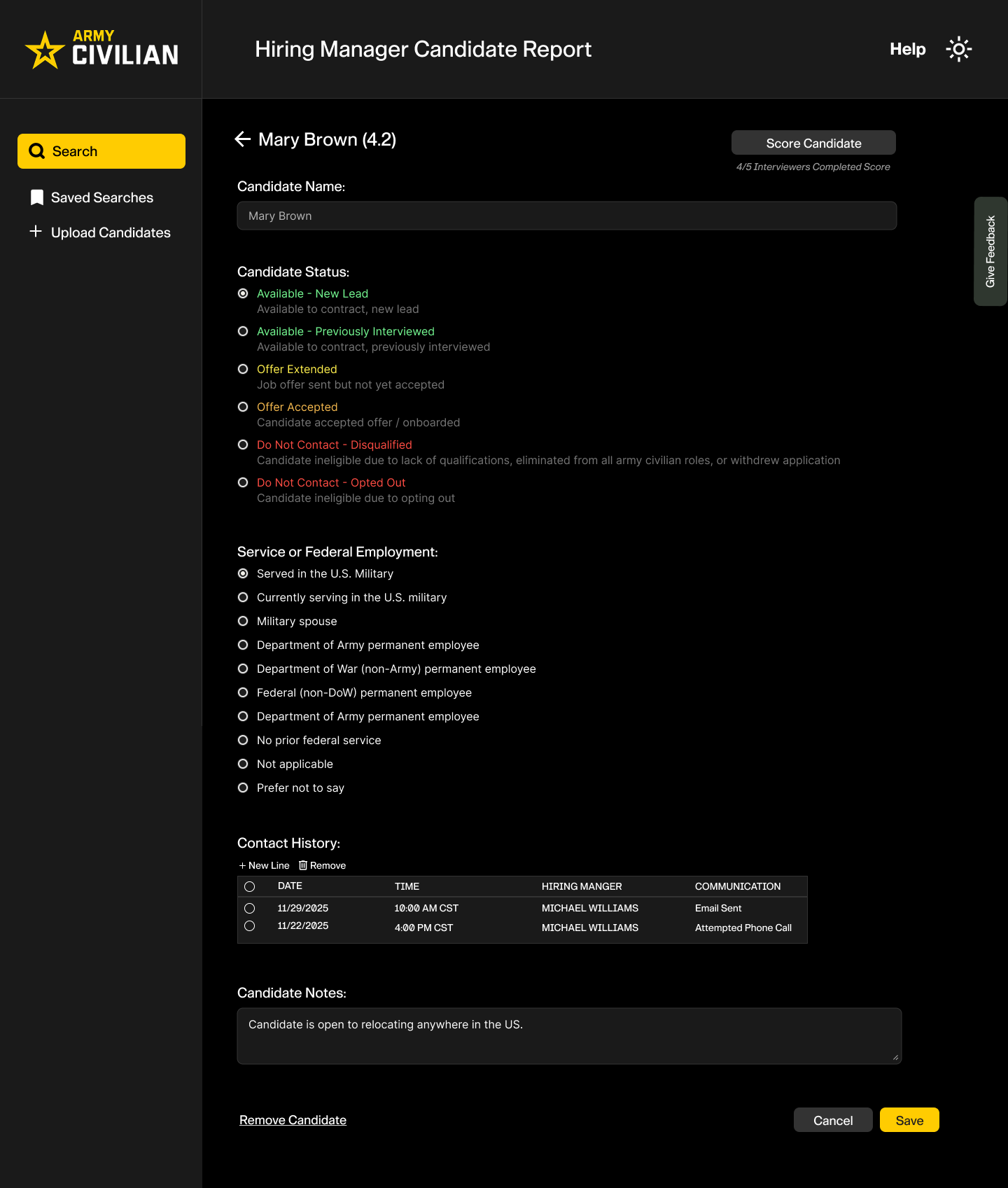
Hiring managers can update candidate profiles with notes from their conversations, giving the entire team visibility into previous interactions. This helps prevent duplicate outreach, keeps everyone informed, and makes follow-ups more coordinated and effective.
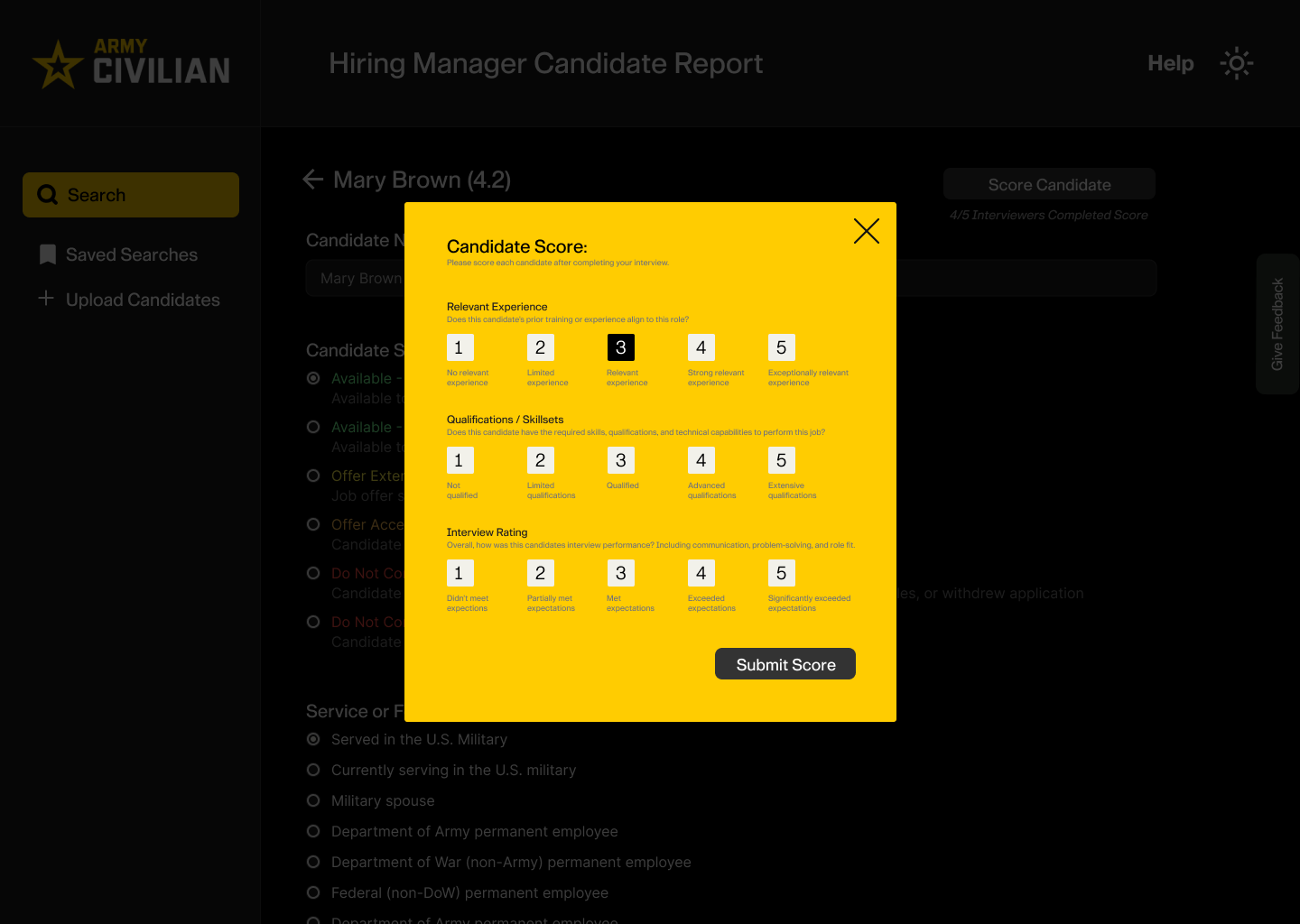
After meeting with candidates, hiring managers can rate their experience, qualifications, and interview performance. These ratings help the team quickly identify strong candidates, compare applicants using consistent criteria, and decide who should move forward in the hiring process.
Upload Candidates to database
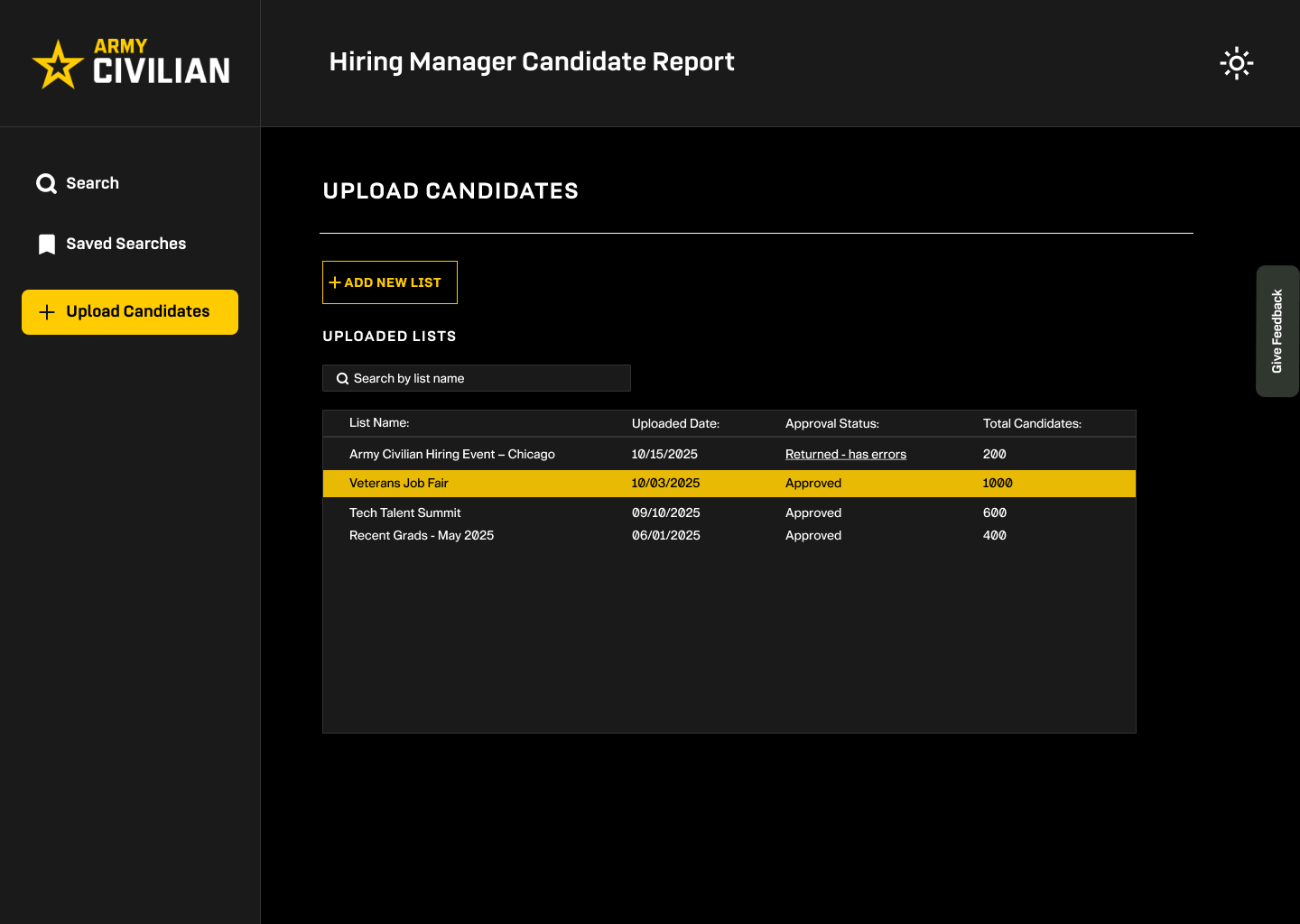
Conversations with hiring managers revealed a need to add candidates they connected with at recruiting events and through other outreach efforts. To address this, we introduced a feature that lets managers upload candidate lists directly into the shared database.
To ensure candidate information is accurate and consistent, hiring managers upload their lists using a standardized template. Each submission goes through a review and approval process that takes 24–72 hours before candidates are added to the database.
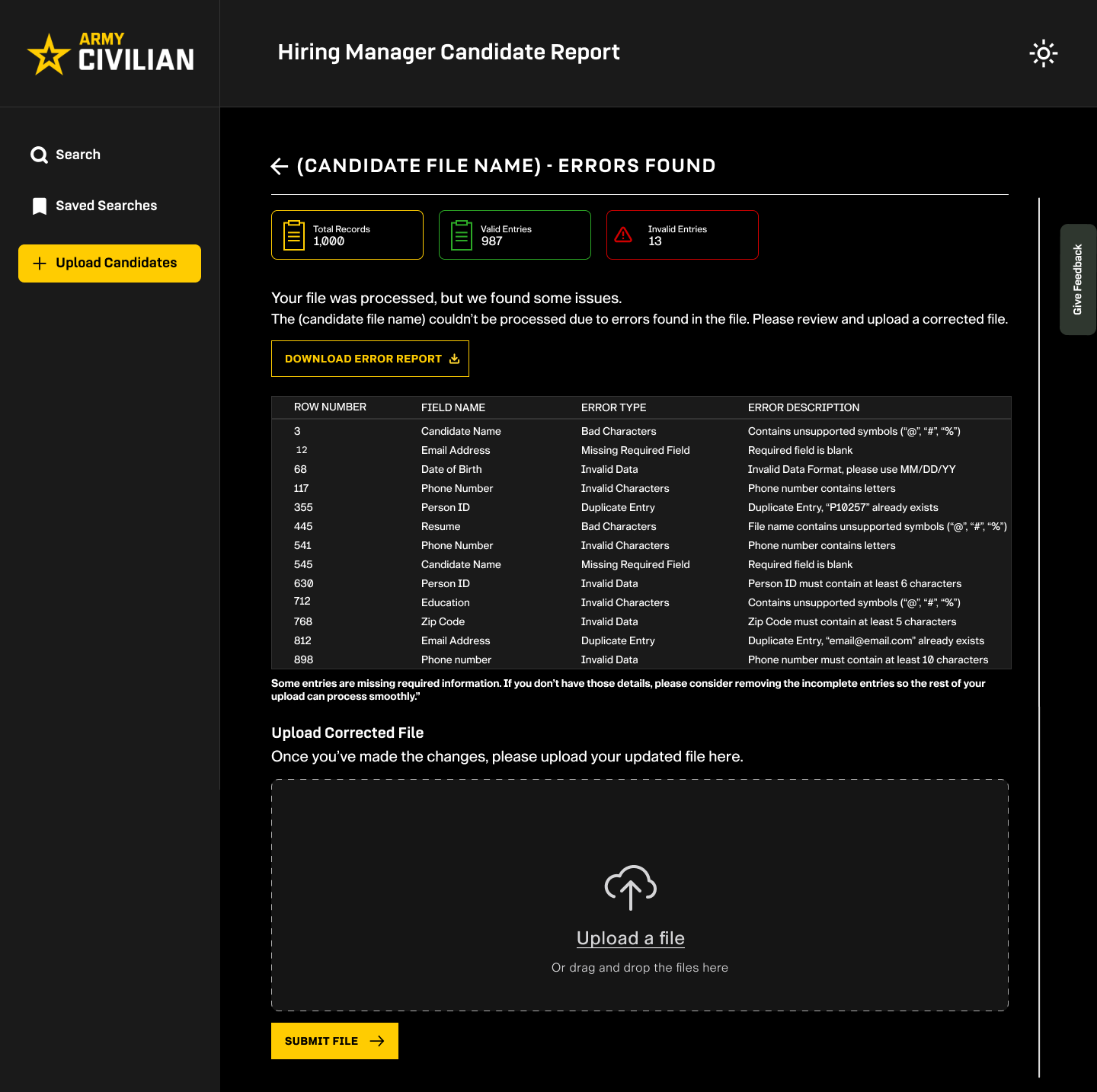
If errors are found, managers receive a detailed report showing exactly where the issues occurred and how to correct them. They can then upload a revised file.
The Outcome
The final design was approved by client stakeholders and progressed into development as a production-ready enterprise application.
The dashboard established a centralized experience that simplified candidate management, reduced repetitive recruiting tasks, and created a scalable foundation for future enhancements across the Army Civilian hiring platform.
One of the biggest lessons from this project was that simplifying a complex product doesn't necessarily mean removing features.
Sometimes it means understanding which tasks matter most, organizing information around those tasks, and making the next step easier to find.
This project strengthened my ability to design for complex workflows while keeping the people using the product at the center of every decision.